
Procedures
Tell the agent how you work in one situation, such as a return or a first visit, and what to keep in mind while it lasts.
- Where
- AI Agent → Procedures
- Plan
- All plans
- Who
- Owners and admins.
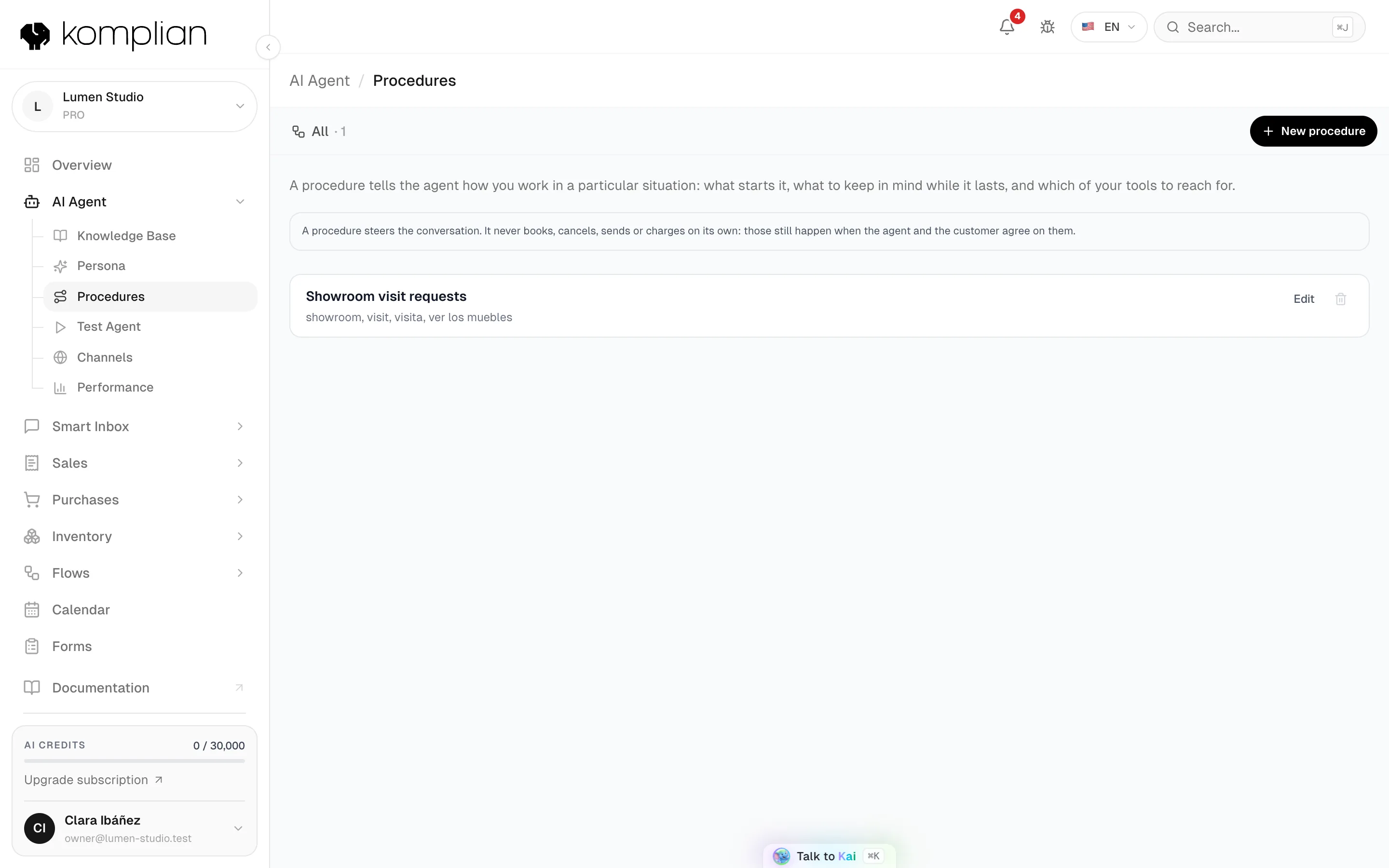
A procedure tells the agent how you work in one situation: what starts it, what to keep in mind while it lasts and which of your tools to reach for. Outside that situation, the agent follows its general instructions.
Create a procedure
Open Procedures
Go to AI Agent → Procedures and press New procedure.
Name it
Write a Name you will recognise, for example "Returns".
Say what starts it
In Starts when the customer says, write words or phrases separated by commas. A single word matches that whole word. A phrase matches the whole phrase.
Write what the agent should do
In While it runs, the agent should, write what to ask, check or explain, in your own words. The agent gets these instructions only in the replies this procedure covers.
Pick what it reaches for
Under Reach for, select the lookups the agent should use first, such as order lookup or product search. The list shows only the lookups your workspace has.
Save
Leave Active on and press Save.
Edit, pause or delete
In the list, press Edit to change a procedure. Switch off Active to pause it: it stays in the list marked paused. Press Delete and confirm Delete it? to remove it.
What a procedure cannot do
A procedure steers the conversation. It never books, cancels, sends or charges anything on its own. Those actions still happen only when the agent and the customer agree on them, under the agent's normal rules.
Check it works
Open Test the agent and write a message with one of the trigger words. The Turn trace shows the Procedure that ran.
Example
| Field | Example |
|---|---|
| Name | Returns |
| Starts when the customer says | return, refund, send it back, exchange |
| While it runs, the agent should | Ask for the order number and the reason. Explain that returns are accepted within 30 days in original condition. Offer an exchange first. |
| Reach for | Order lookup |
Write it the way you would brief a new colleague: what to ask, in what order, and what never to promise.
Limits
| Limit | Value |
|---|---|
| Procedures per workspace | 10. Delete one to add another. |
| Plans | All plans |
See also
© 2026 Komplian AI Solutions, S.L. All rights reserved.