
Performance
Read how the agent does with real customers, in volume, quality and speed, and find the questions it answered badly.
- Where
- AI Agent → Performance
- Plan
- All plans
Performance shows the health of your AI agent with real customers: how many conversations it has, how well grounded its answers are and how fast it replies.
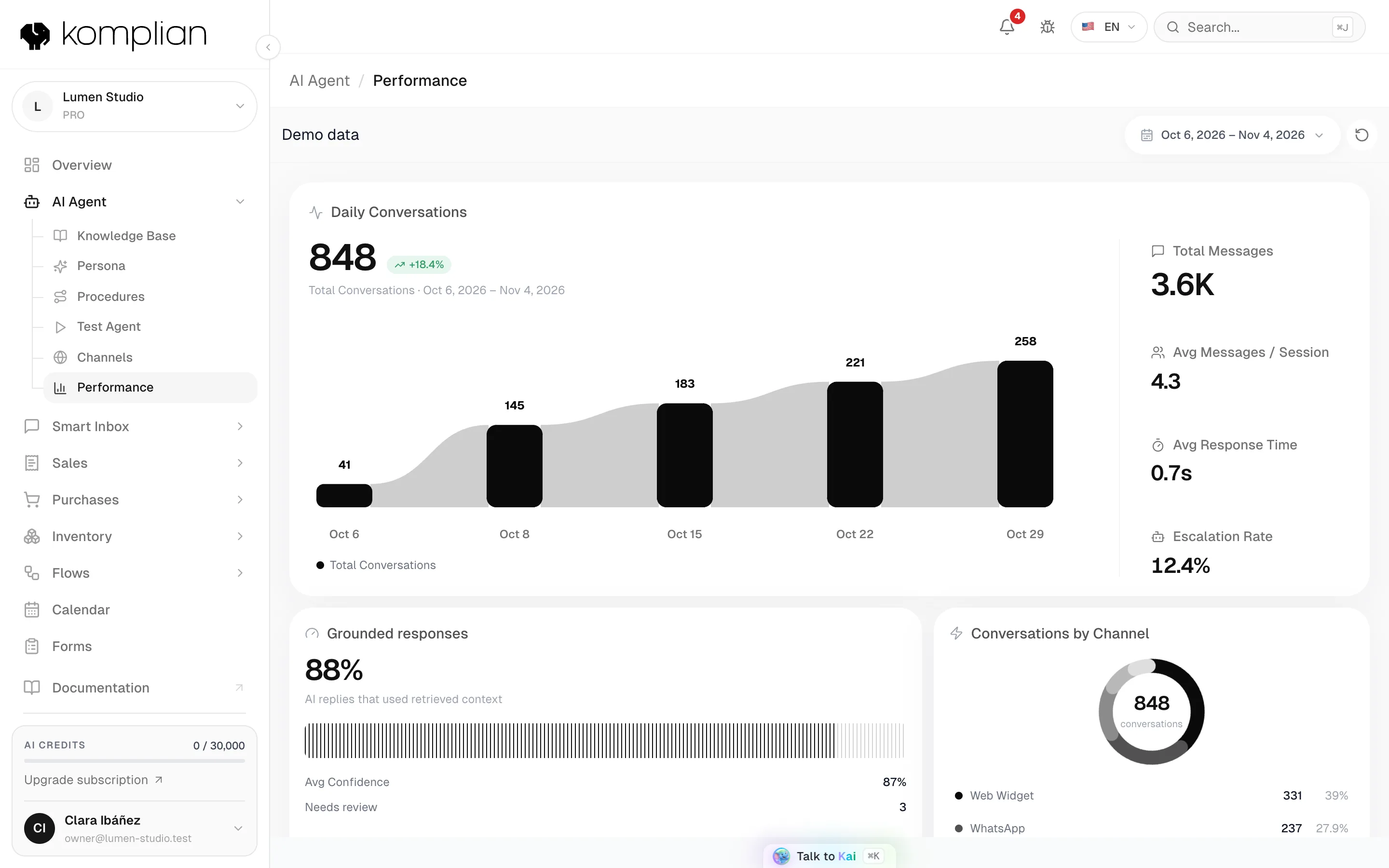
Pick a period
Choose 7, 30 or 90 days, or your own dates. A custom range can cover one year at most. Refresh reloads the numbers.
The numbers
| Number | What it means |
|---|---|
| Daily Conversations | A chart of conversations per day in the period. |
| Total Conversations | Conversations with at least one message in the period. |
| Total Messages | Messages in those conversations. |
| Avg Messages / Session | How long a conversation is, on average. |
| Avg Response Time | How long the agent takes to answer. |
| Escalation Rate | Share of conversations passed to a person. See AI and your team. |
| Grounded responses | Replies that used your knowledge. It shows Avg Confidence and how many replies Needs review. |
| Conversations by Channel | How many conversations came from each channel. |
The footer, This month, shows the AI requests and the tokens used this month. Conversations in Test the agent count in the conversation and message totals, not in Grounded responses or Needs review.
Review weak answers
The Needs review list collects recent questions the agent answered with low confidence. Each one is marked Had context or No context.
Open the list
Scroll to Needs review and read the questions.
Fix questions with No context
Your knowledge had nothing on them. Add the answer in Knowledge, for example as a manual entry.
Fix questions with Had context
The agent found something but was unsure. Check that the source is clear and current, and correct it.
Check the fix
Ask the same question in Test the agent and look for KB used.
See also
© 2026 Komplian AI Solutions, S.L. All rights reserved.