
All channels
See every channel your customers can use, how each one connects, how many your plan allows and when you can write on each.
- Where
- AI Agent → Channels
- Plan
- All plans
- Who
- Owners and admins connect, configure and disconnect channels.
A channel is a place where your customers write to you: your website, WhatsApp, Instagram, Messenger, Telegram, Slack, Discord or email. Every conversation from a channel arrives in Smart Inbox.
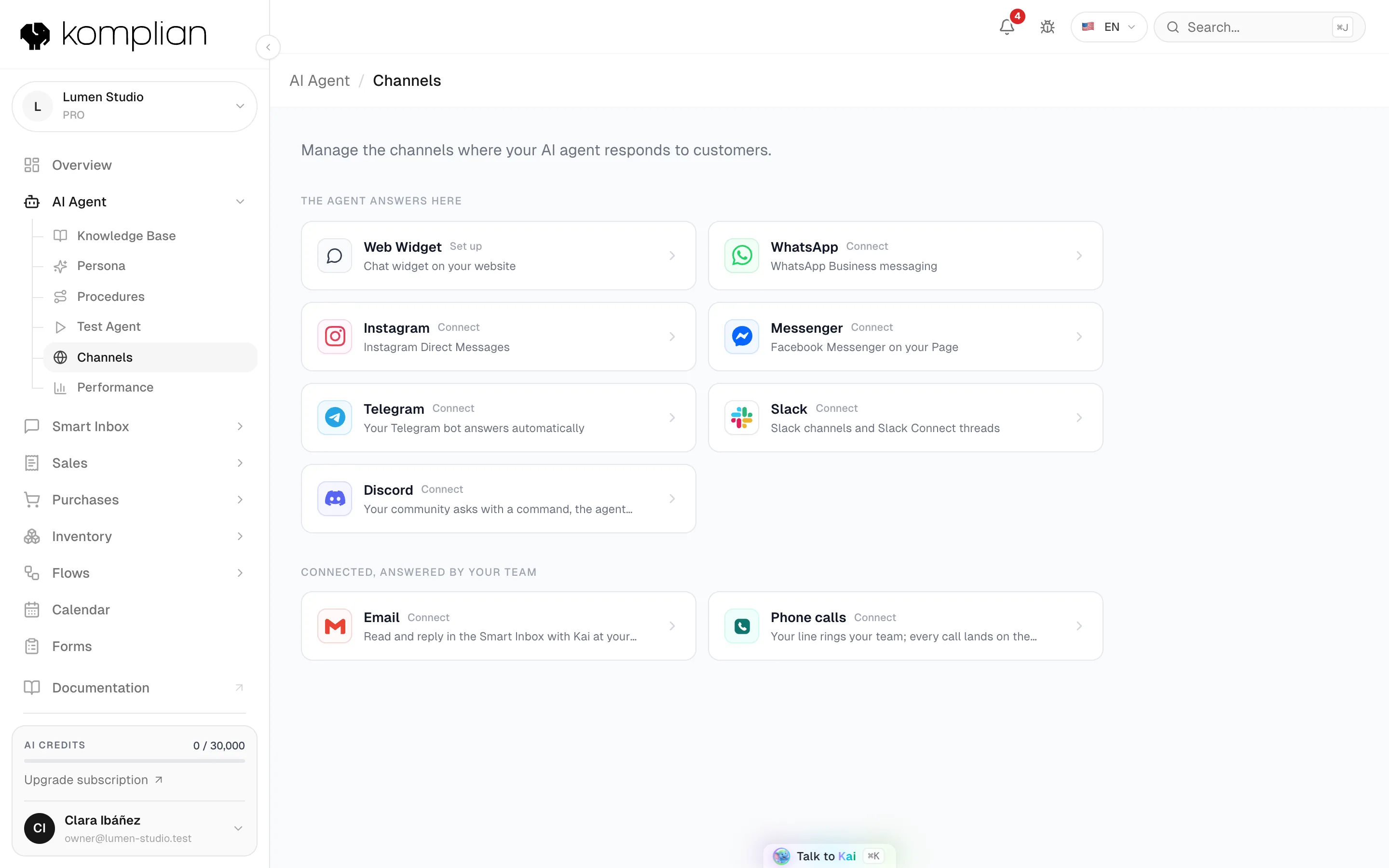
Channels are listed in AI Agent → Channels and in the Channels tab of the Komplian Store, in two groups: The agent answers here and Connected, answered by your team (email).
Connect a channel
Open the channel
In AI Agent → Channels, open the channel's card. The web widget opens Widget Studio. Every other card opens the channel's page.
Sign in or paste the key
Follow the channel's own step: sign in with Meta, Slack, Discord, Google or Microsoft, or paste a bot token or your mail server's details.
Check the status
The card shows Connected. New messages arrive in Smart Inbox. The agent answers them on every channel except email.
| Channel | How it connects | Who answers | Counts toward your plan |
|---|---|---|---|
| Web chat | Design and publish it in Widget Studio | Agent and team | No |
| Sign in with Meta and pick the number | Agent and team | Yes | |
| Sign in with Meta and pick the Page linked to Instagram | Agent and team | Yes | |
| Messenger | Sign in with Meta and pick the Facebook Page | Agent and team | Yes |
| Telegram | Paste your bot's token | Agent and team | Yes |
| Slack | Sign in with Slack and choose channels | Agent and team | Yes |
| Discord | Add the Komplian bot to your server | Agent and team | Yes |
| Gmail, Outlook or your own mail server | Your team | No |
How many channels you can connect
| Plan | Messaging channels at the same time |
|---|---|
| Starter | 1 |
| Growth | 2 |
| Pro | 3 |
| Enterprise | 5, or what your contract says |
- Instagram and Messenger on the same Facebook Page are two channels.
- One Slack installation is one channel, however many Slack channels you select.
- Over the limit, connecting fails with "Channel limit reached". Disconnect a channel or contact Komplian for an extra one.
When you can write on each channel
Each new message from the customer opens a new 24-hour window.
- A WhatsApp template is sent from a flow, never from Smart Inbox.
- Telegram and Discord have no time limit, but the bot can only write to someone who wrote to it or used
/komplianfirst.
Choose what the agent does on a channel
Each connected channel's page has AI Skills. Owners and admins change them.
| Switch | Default | What it does |
|---|---|---|
| Auto Reply | On | The agent answers new messages on this channel. Off: your team answers every conversation of this channel. |
| Read Conversation History | On | The agent reads the earlier messages of the conversation before answering. |
Some channels name the first switch differently: Auto Reply to DMs on Instagram, Auto Reply in Threads on Slack, Automatic replies on Messenger and Telegram, and Answer the command on Discord. Instagram has two more switches: see Instagram.
© 2026 Komplian AI Solutions, S.L. All rights reserved.